


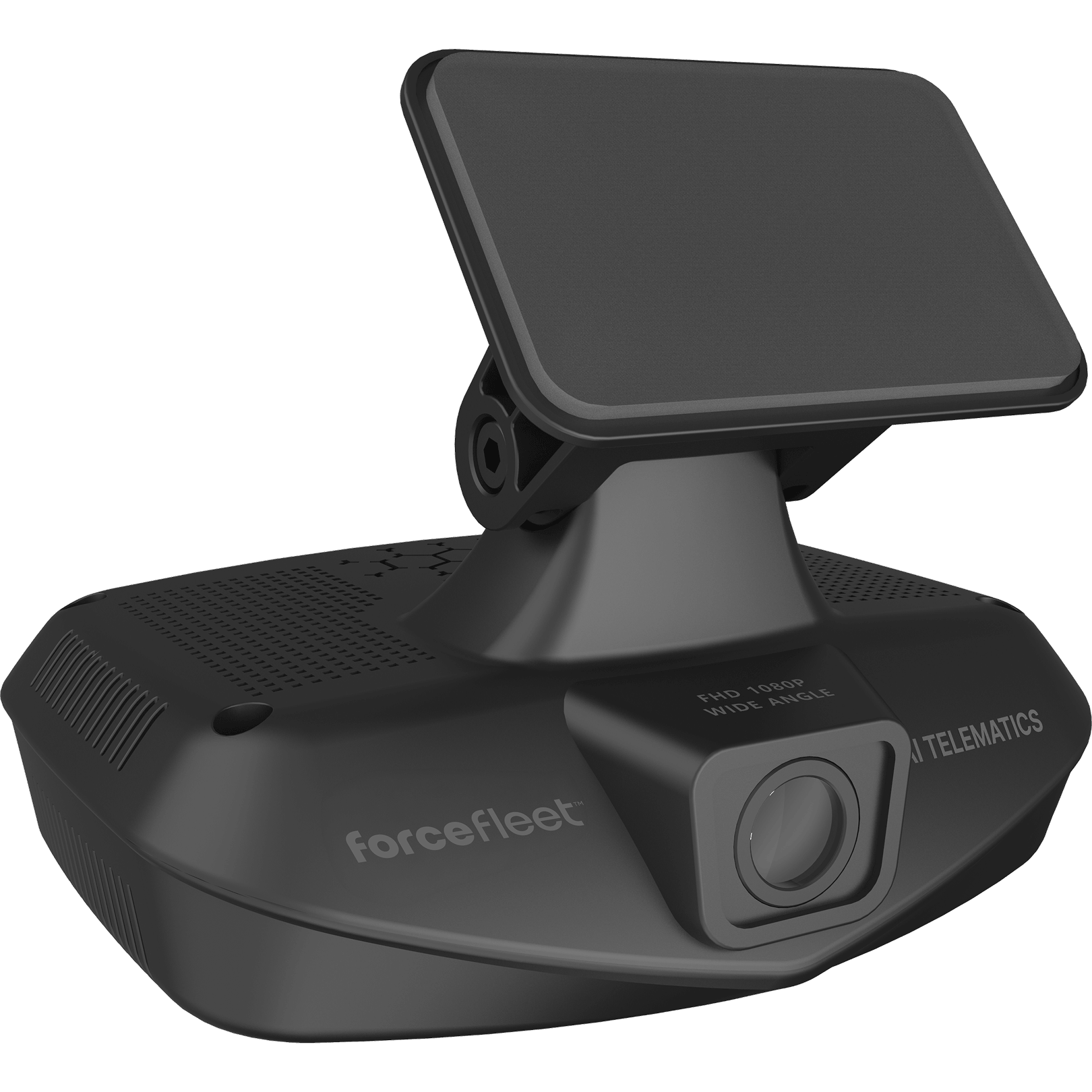
TrakView 2 Dashcam
“The dashcam integration with GPS tracking gives us complete visibility into every trip. We can see exactly what happened, when, and where.”
Fleet Manager
Force Fleet Customer

TRACK
Real-time GPS location, status updates and trip insights for every mile driven.

MONITOR
Vehicle health alerts and tools to reduce downtime and repair costs.

PROTECT
View and record what’s happening inside and out of your vehicles.
NEXT-GENERATION DASHCAM
Introducing the new Force Fleet TrakView 2
TrakView 2 is a major leap forward for our integrated GPS tracking and dashcam program: sharper video, smarter hardware, a much easier upgrade path if you are already using GPS trackers, and compatibility with far more vehicle types, including hybrids and heavy-duty trucks.
- Better hardware, smarter design
- Works with more vehicle types out of the box
- Pairs with existing GPS trackers for easy upgrade
- Lower profile and firmer mounting on your windshield
TrakView 2 Pro Pricing
MONTHLY SUBSCRIPTION
$44
Includes: Everything in your current GPS Tracking Plan, plus all of our new video features.
All prices in USD. Subscription plan prices exclude sales tax where applicable. Annual Plans are billed annually.
ONE-TIME DEVICE COST
$199
Includes:
TrakView 2 Dashcam • Dual HD Cameras • OBD-II Device • USB-C Power Cable • Cable Tuck Tool
All prices in USD. The One-Time Device Cost includes shipping and handling.
Automatic Recording
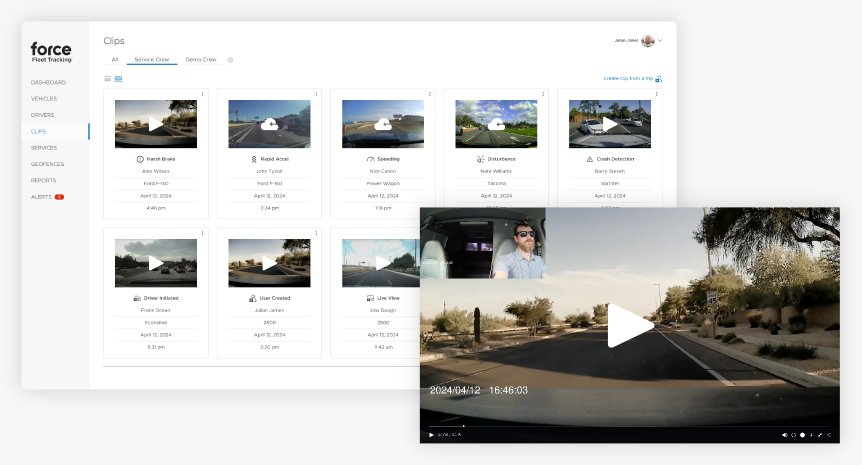
Every trip recorded and critical events automatically uploaded to the cloud
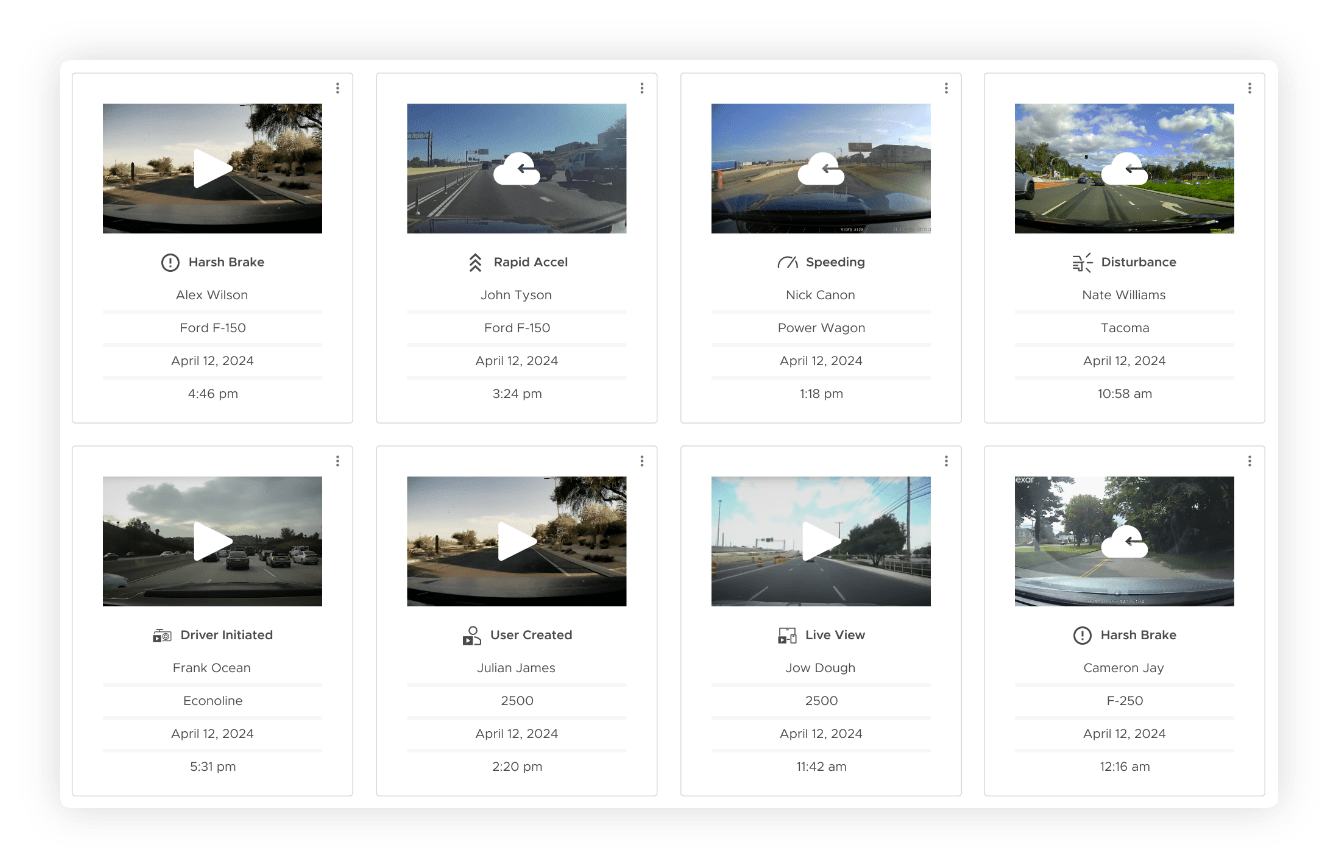
The Force Fleet TrakView 2 dashcam automatically records clips for each trip, including accidents, unsafe driving events, break-in attempts, and other disturbances. Critical events are automatically transferred to the cloud so you never miss what matters.
- Continuous recording during every trip, no manual activation needed
- Automatic cloud upload of critical events (accidents, hard braking, impacts)
- Dual-facing HD cameras capture interior and exterior simultaneously
- Capacity to store dozens of hours of local video footage
Live View
See what’s happening inside and outside any vehicle, on demand
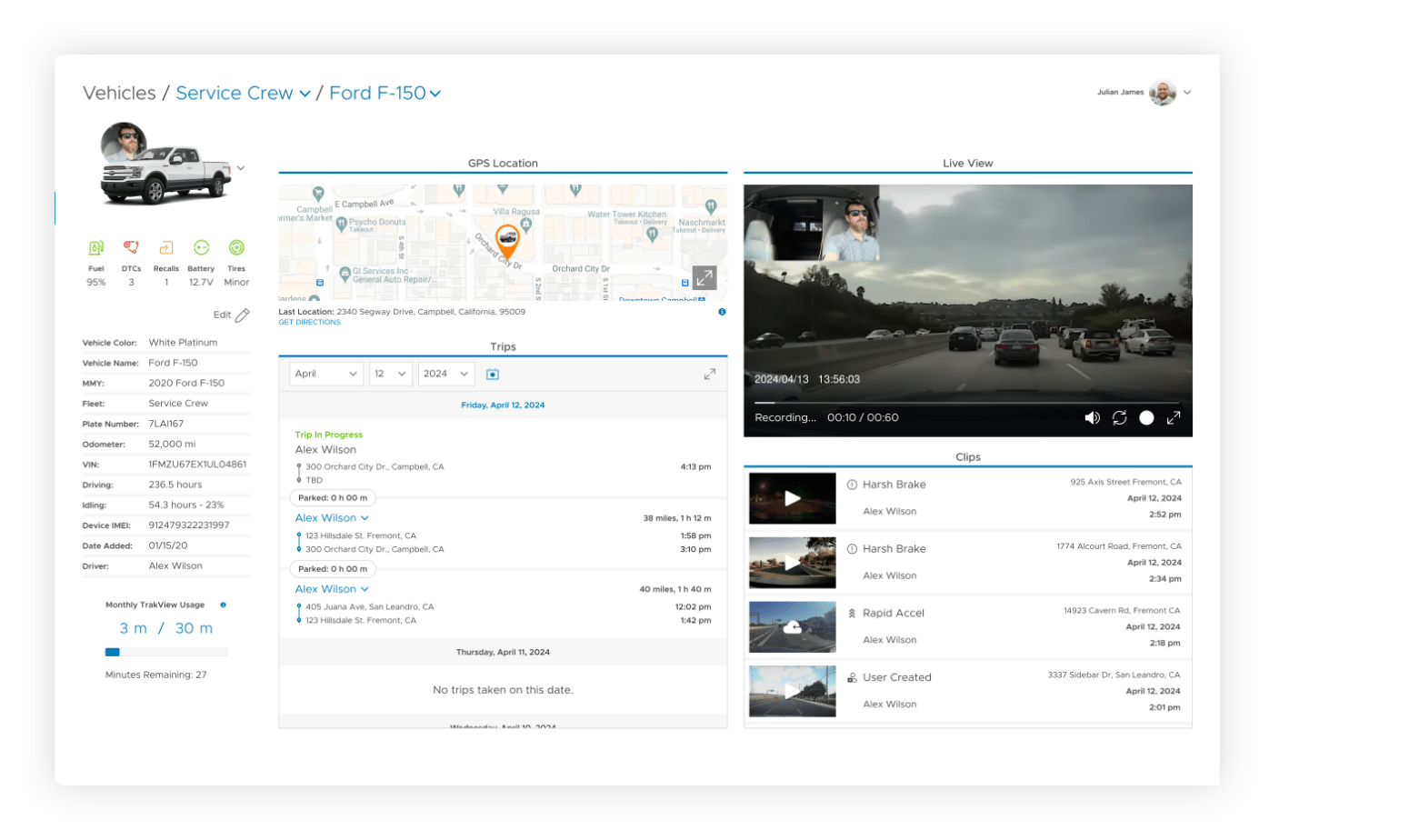
Access a live video feed from any dashcam-equipped vehicle directly from your phone or computer. Each live view session generated during a trip creates a 60-second clip that is automatically transferred to the cloud for review and storage.
- On-demand live video from any en route vehicle
- View interior and exterior camera feeds simultaneously
- Each session saves a 60-second clip to the cloud
- Access from your computer, tablet, or smartphone
Trails
Replay any vehicle’s full day on the map, trip by trip
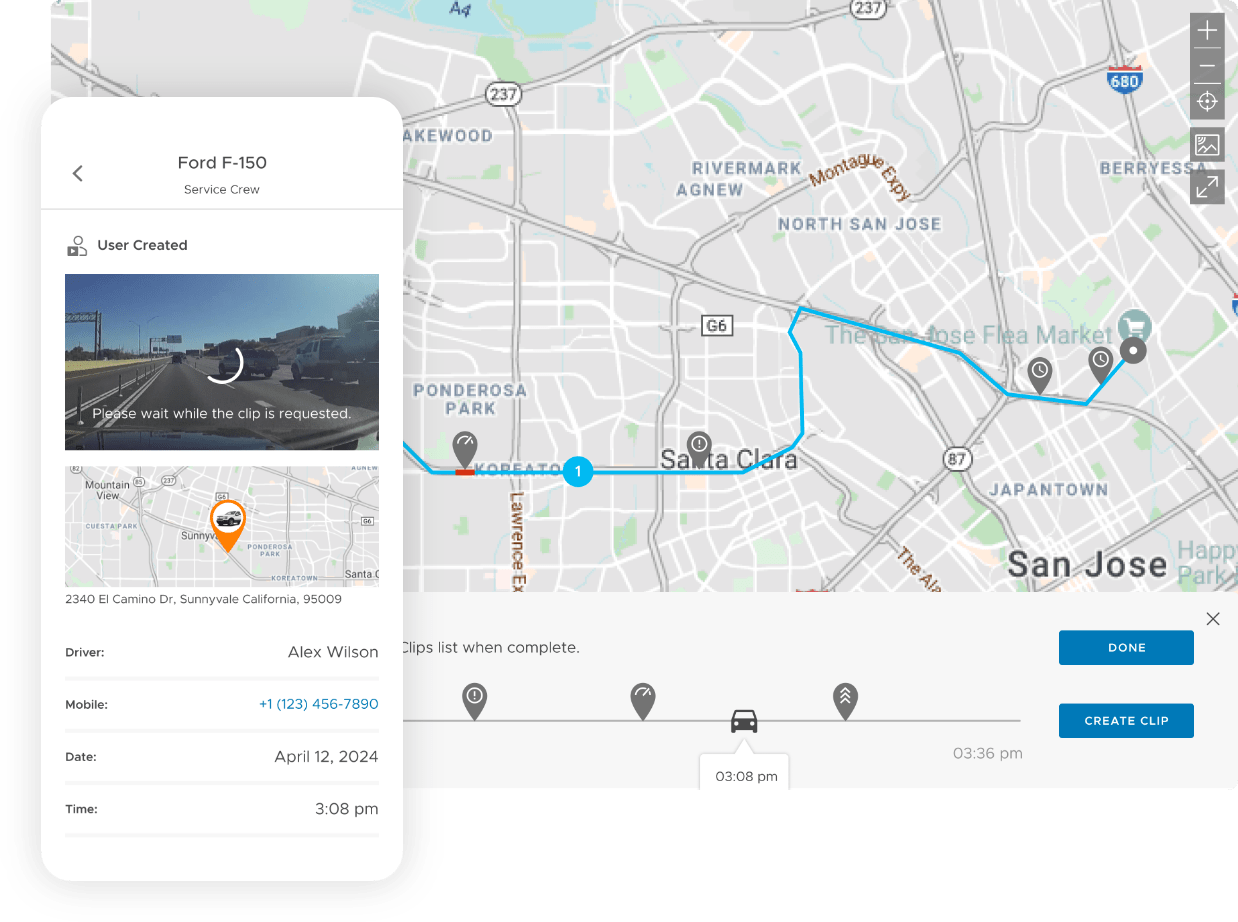
The Trails feature in your Force Fleet web dashboard lets you review a vehicle’s trips for any given day, including any trip in progress. See each route on the map and full trip details in the side panel — then pair it with dashcam footage to know exactly what happened, when, and where.
- Tap a vehicle on the map and select TRAILS to see the day’s trips at a glance
- Use the calendar picker to jump back to any day in a vehicle’s trip history
- Highlight a specific infraction type on the trip line, or tap a pin for full details
- Overlapping trips on the same route are easy to separate by trip number in the panel
Easy to Install, Easy to Use

Simple setup, ready in minutes
Getting your TrakView 2 dashcam up and running is straightforward and takes just a few minutes. Just plug it in, activate it in the app, make sure the view is ideal, and mount it to the windshield.
- Tool-free installation with secure sticker mount
- Plugs directly into the OBD-II port for power and data
- Step-by-step activation guide in the Force Fleet app
- No professional installation or complex wiring required
Frequently Asked Questions
Does the TrakView 2 dashcam include GPS tracking?
The Force Fleet dashcam is a standalone device that pairs with our existing GPS tracker to provide a fully integrated solution that includes real-time GPS location tracking, vehicle health monitoring, and automatic video recording.
I already have the GPS tracker. Can I add the dashcam?
Yes, the TrakView 2 dashcam is designed to pair with the existing GPS tracker that’s already installed, making it the smoothest possible add-on for GPS customers.
Where can I find support for my TrakView 2 dashcam?
If you need help with your TrakView 2 dashcam, please see our Force Fleet Help Center. You can also get support by calling 806-855-8255 or via email at [email protected].
How much video can the dashcam store?
The Force Fleet dashcam can store dozens of hours of video footage locally. Critical events are automatically uploaded to the cloud, and you can retrieve additional clips on demand using the Create a Clip feature in the app.
What if I’m already a Force Fleet customer?
The Force Fleet TrakView 2 dashcam is available to new and existing subscribers. With the TrakView 2, existing customers who are upgrading simply connect the dashcam to an existing GPS tracker. Your GPS tracking features carry over, plus you get all the features and benefits of dashcam video monitoring.
Who installs the dashcams?
Anyone can install the Force Fleet dashcam in just a few minutes. The kit includes everything you need and no professional installation is required.
Does the dashcam record audio inside the vehicle?
Yes. In-cabin audio can be turned on or off in your Account Settings in the app.
Can I add dashcams to just some of my vehicles?
Yes, you can order as many Force Fleet dashcams as you’d like. We recommend outfitting your entire fleet for maximum coverage, but a mixed approach with GPS trackers on some vehicles and dashcams on others works perfectly within the same account.
Are heavy-duty and hybrid vehicles supported?
Yes. TrakView 2 supports hybrids, PHEVs, the newest vehicle protocols, and heavy-duty vehicles (which may require the use of OBD-II adapters).
See where your business is going
Dashcams help you reduce risk and can protect your business from costly insurance claims.